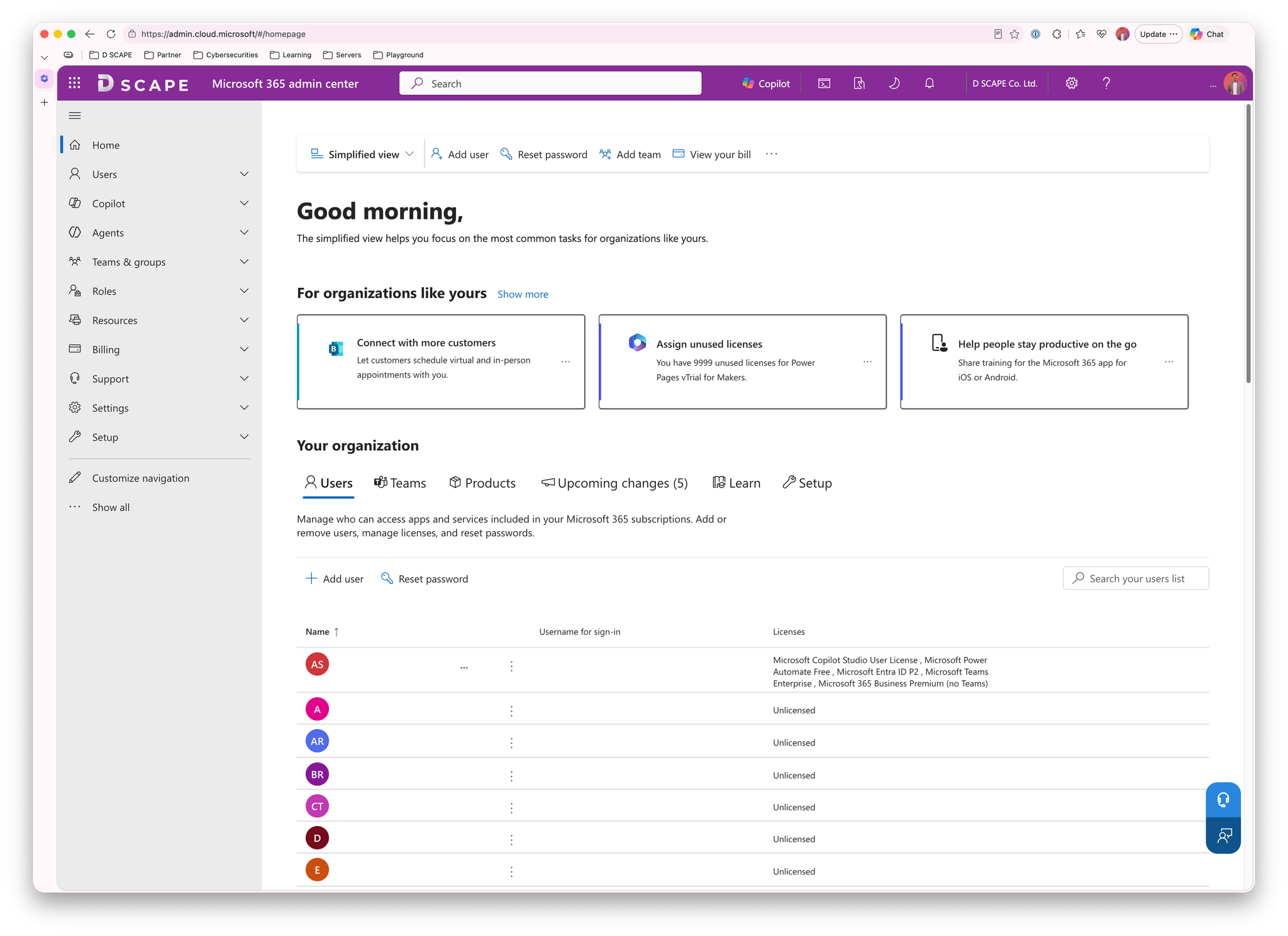
Before you start
Make sure you are logged in with your organization's Global Admin account.
1. Open the Microsoft 365 admin center
Go to https://admin.cloud.microsoft/
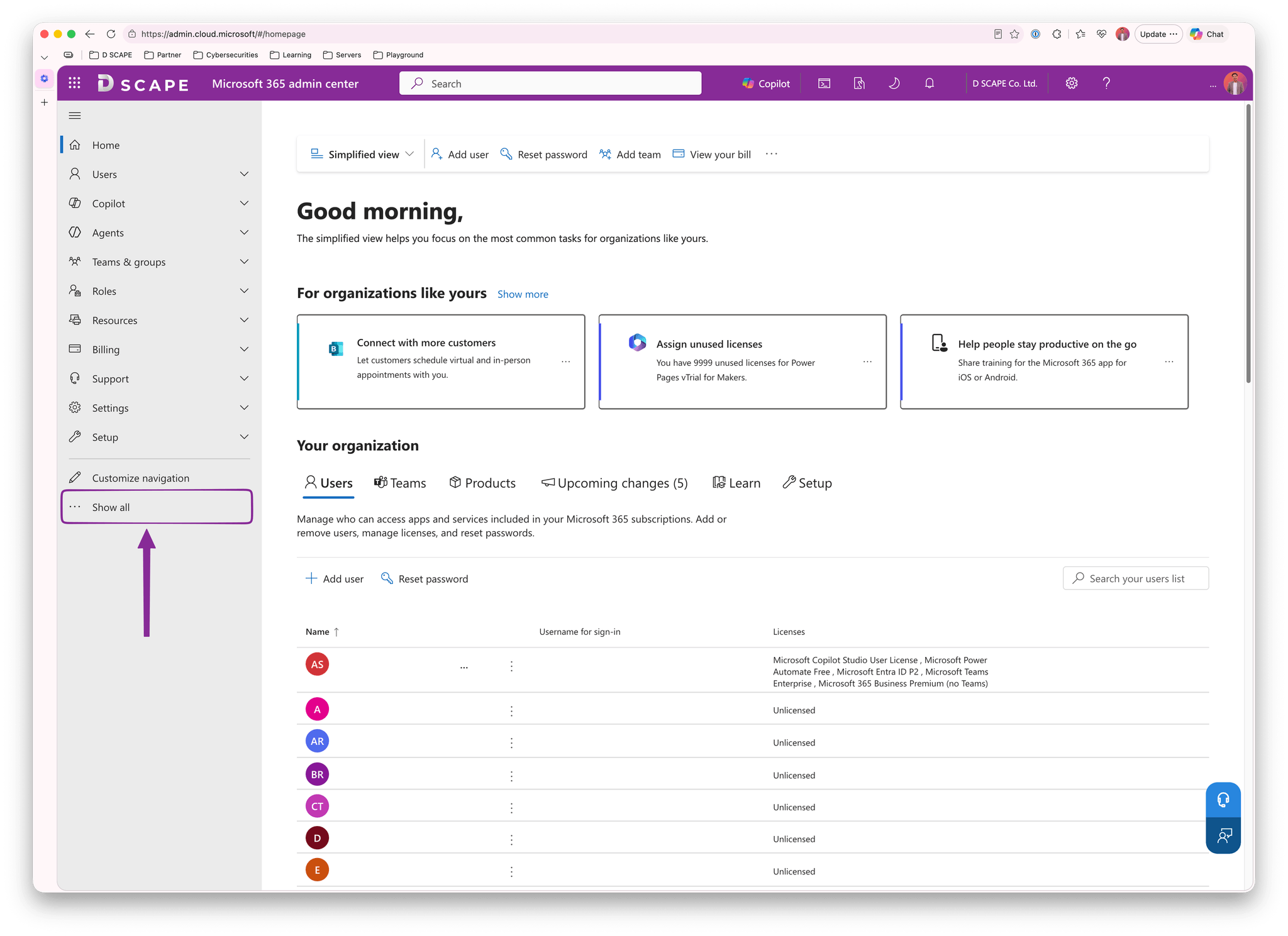
2. Select “… Show all”
At the bottom of the left-hand menu, select “… Show all” to expand the full menu.
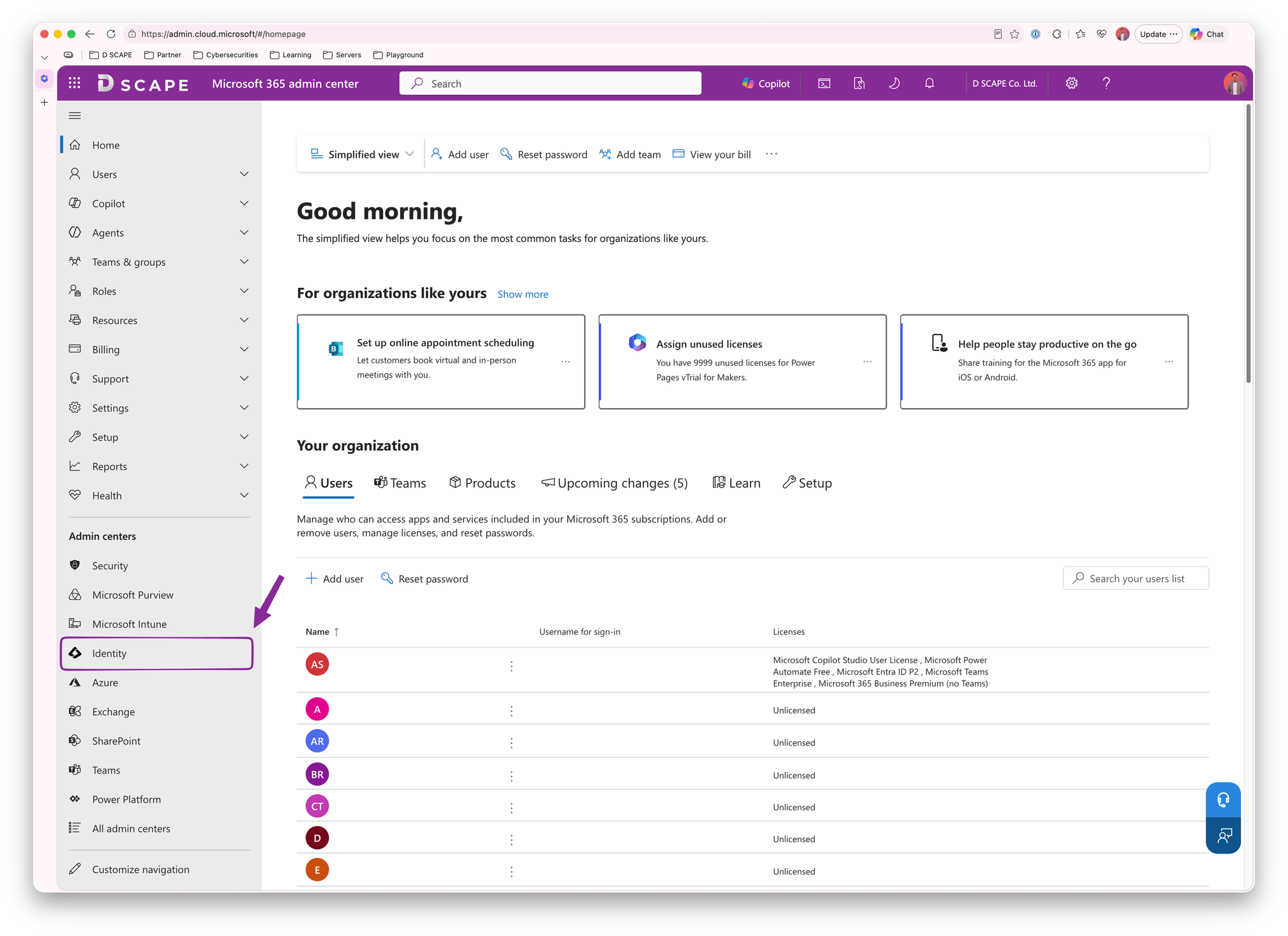
3. Click “Identity”
Under Admin centers, click “Identity”. The system will direct you to https://entra.microsoft.com/
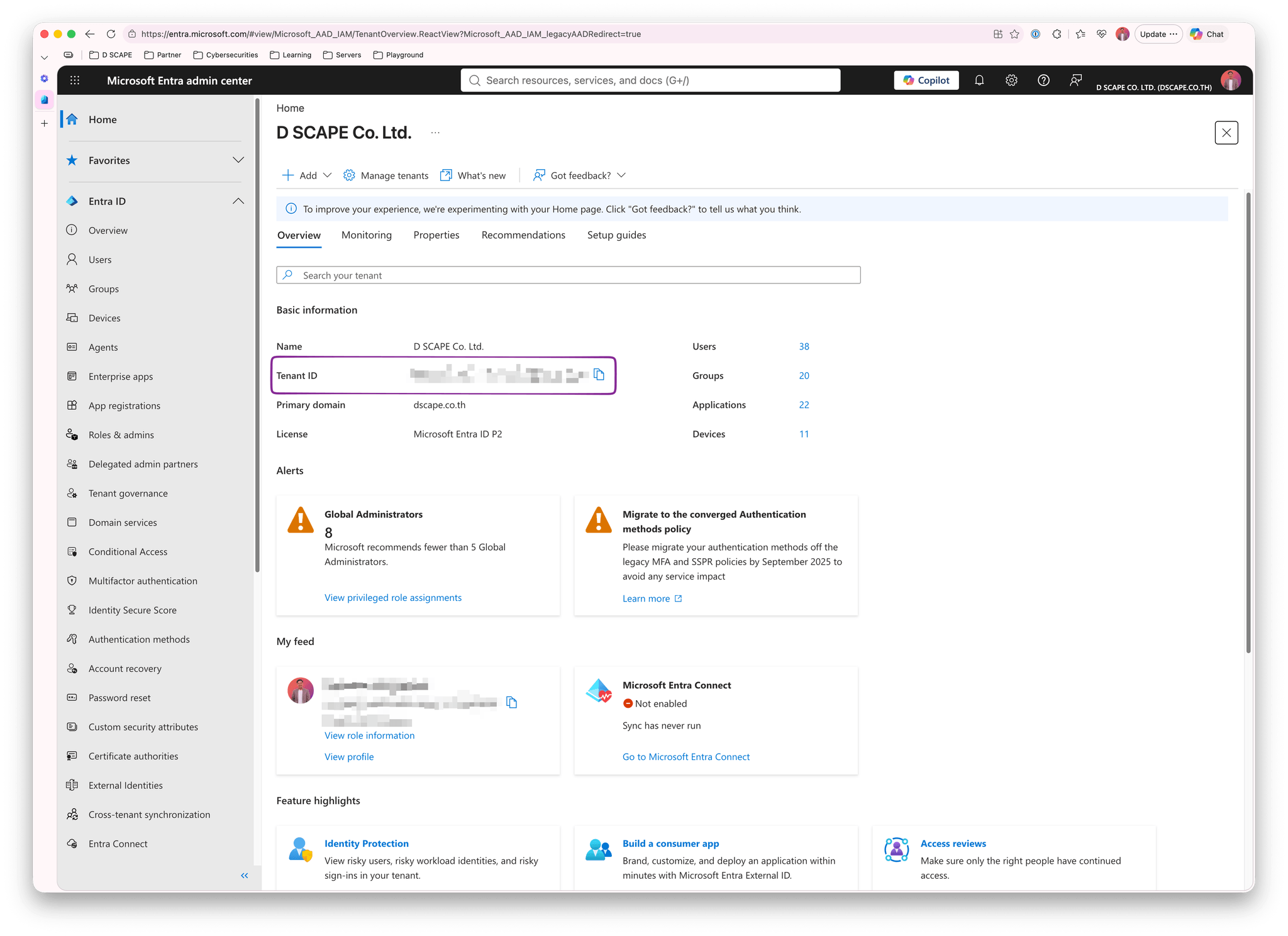
4. Copy your Tenant ID
On the Overview page, find “Tenant ID” under Basic information and click the copy icon next to the value. Then send the Tenant ID to the D SCAPE support team.